

Hello everyone, welcome back to CybercityHelp. We hope that our last article was clear to you. In our last article, we explained how to install Python, and we also informed you that from the next article onwards, we would start learning the core concepts of Python. So here we are today.
From today onwards, we are going to start the core concepts of Python. In our today’s article, we will be learning about the print function in Python. We will discuss how you can print your statements, messages, or anything you want to display on the output screen. We will also tell you different methods to show messages, not just the traditional ones.
This is something most programmers learn in their very first program. You can also consider this article as your first program tutorial in the Python language. So we hope you are as interested as we are, so now let’s get started.
What is print() in Python?
The print() function is an inbuilt function in Python that allows us to display any statement or text message on the output screen. This function is represented by the print keyword. In fact, this is usually the very first function programmers learn in their first programming lecture.
How to print any message using print() function?
Now let’s understand how we can print any statement or text message on the output screen using the print function. In our last article, we already explained how to create a Python file, so we assume you know these basic steps. If not, you may visit our previous article here: PyCharm Installation: What is PyCharm & How to Install PyCharm?
To print any message on the output screen, you need to follow a particular syntax. Here, syntax means the correct format of writing the code. The syntax of the print function looks like this:
print("your message")The syntax starts with the keyword print followed by parentheses () without any spaces, and inside the parentheses, you must use double quotes ” “ to write your message.
Remember, you must follow this syntax to use the print function in Python. Whatever message you want to display should be written inside the parentheses with double quotes. Otherwise, Python may give you a syntax error. Here is an example:
print("Hello World")When you use any code editor like VS Code, Python IDLE, or PyCharm, you will get suggestions as you type. Once you write the print keyword, most editors automatically complete the syntax for you. Then you can run the code by right-clicking, selecting Run, or clicking the green arrow button in PyCharm.
After running the code, you will see the output on your screen. Since we wrote “Hello World“, the output is:
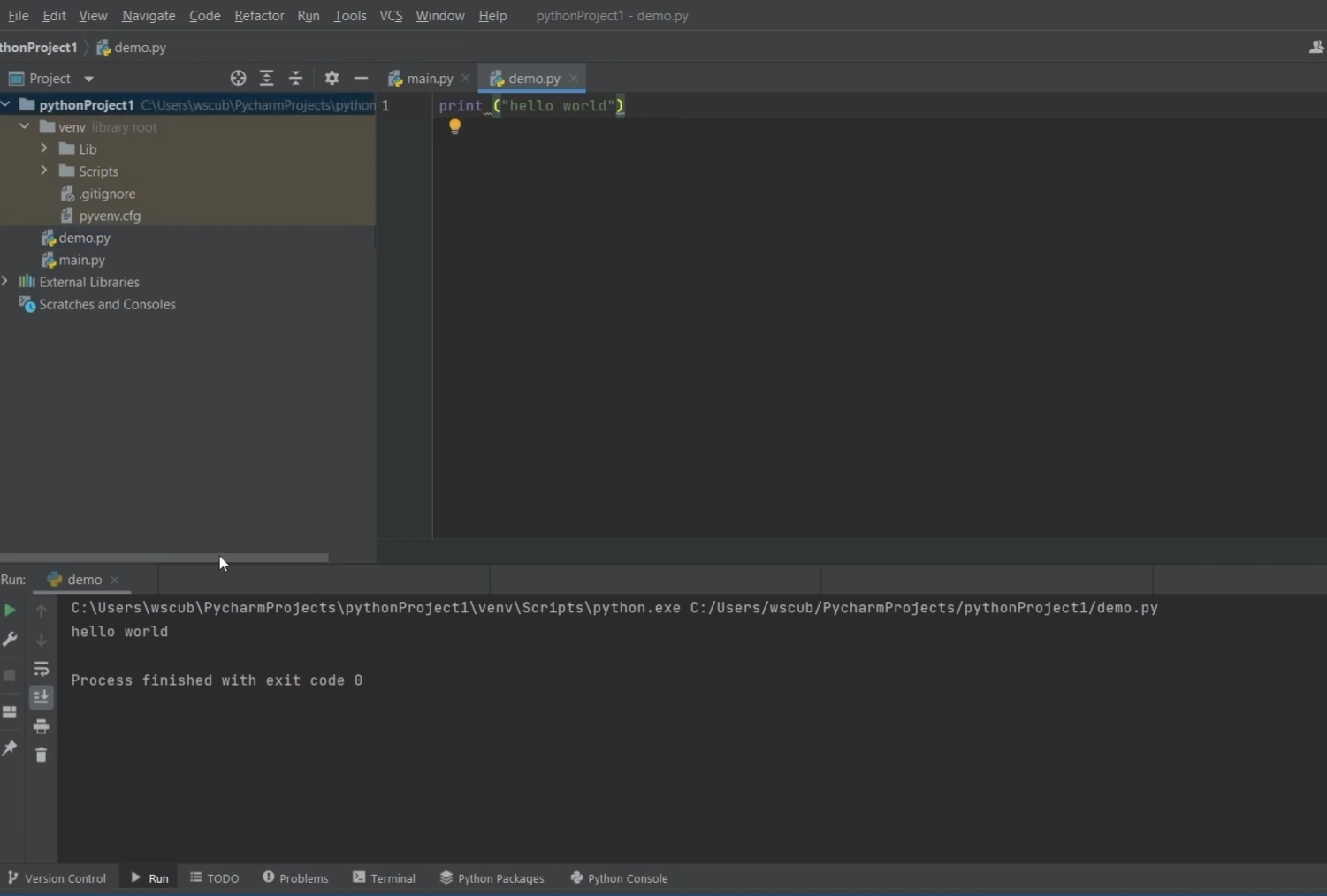
For example:
Hello WorldSimilarly, you can print any other message like this:
print("I love Python")This will display:
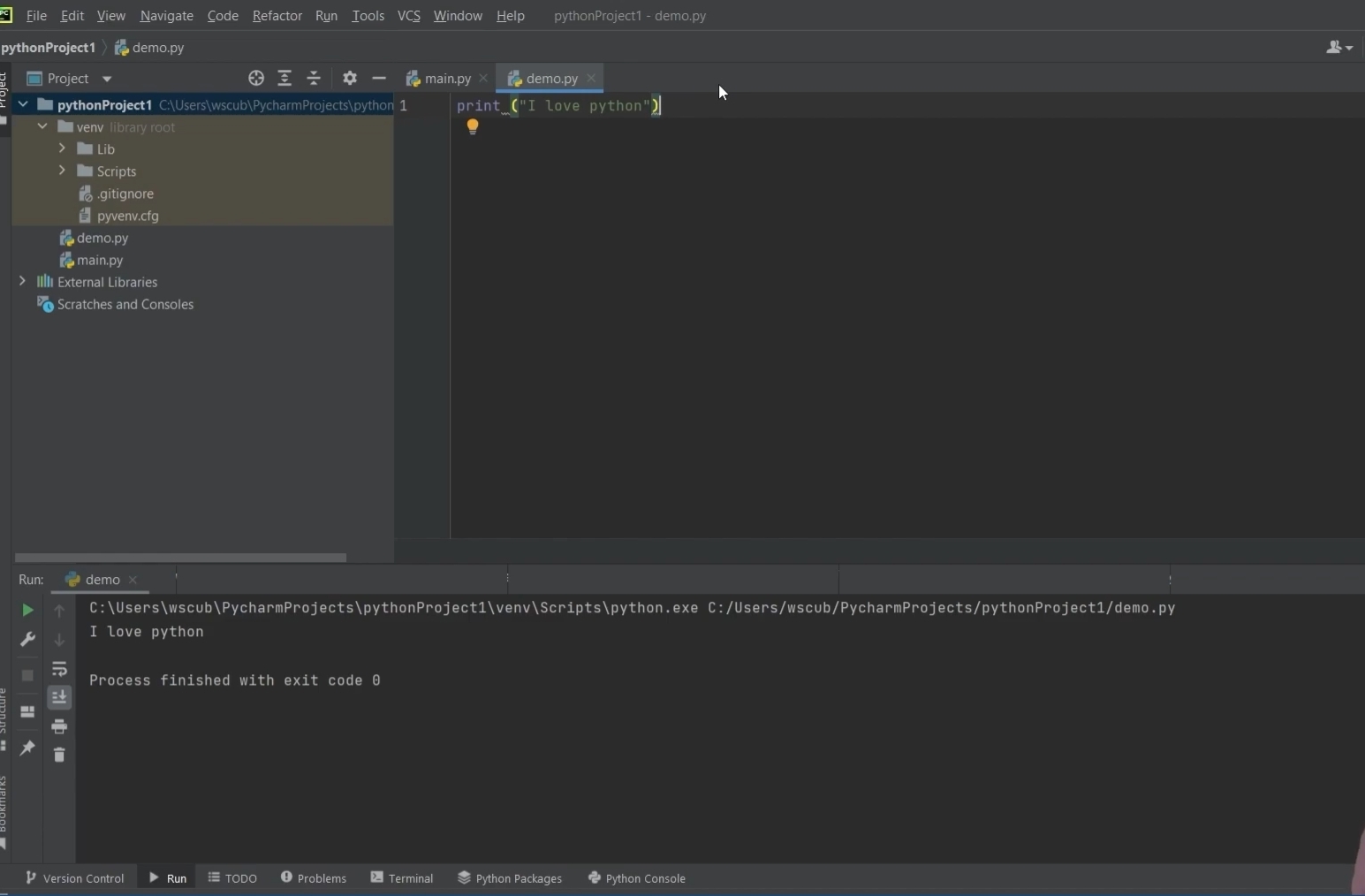
For example:
I love PythonHow to print multiple messages?
If you want to print multiple messages at once, one way is to use multiple print statements like this:
print("I love Python")

print("This is my first Python program")

print("I hope you all like it")
This will print three separate messages, one by one, like this:
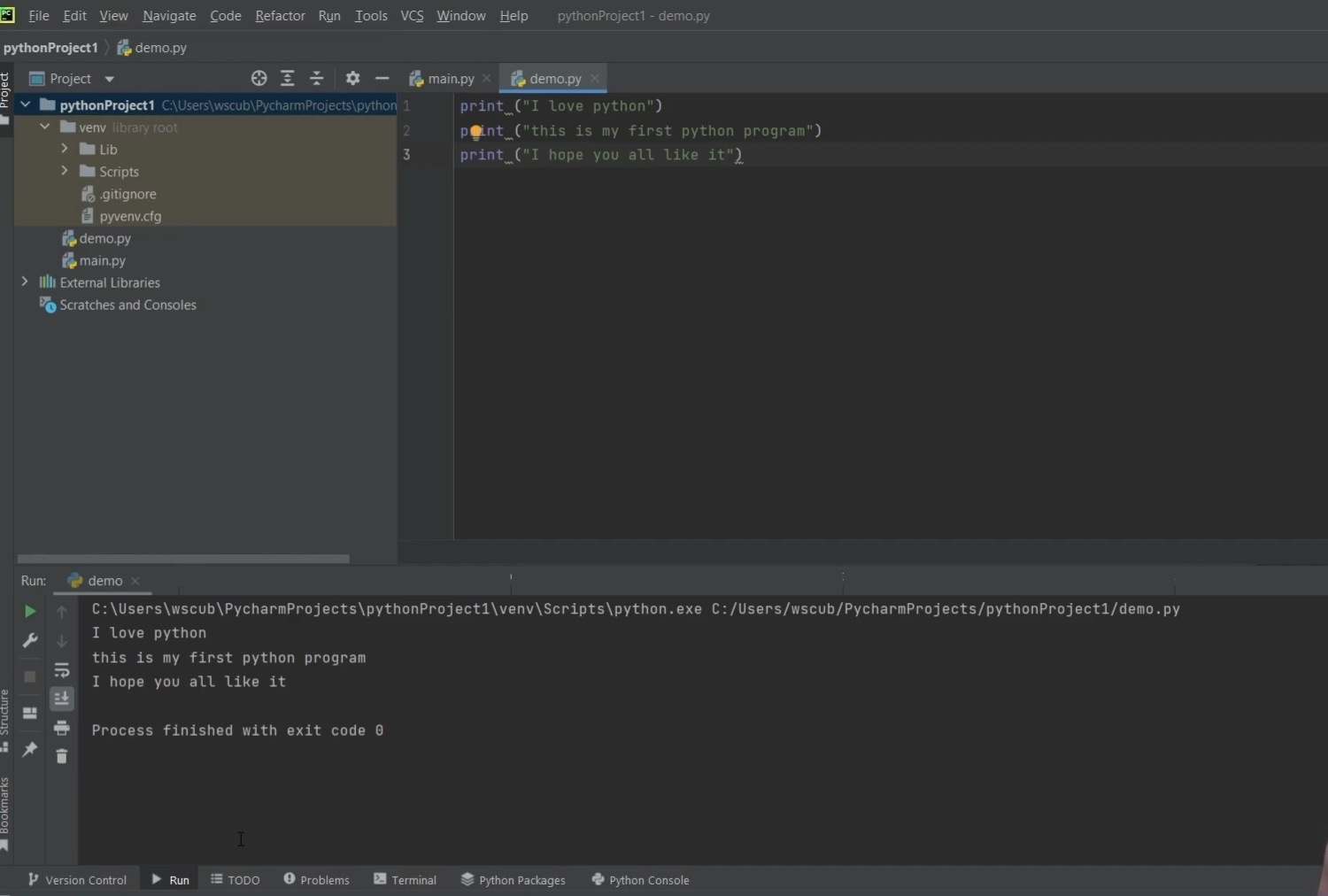
But writing multiple print statements again and again is not convenient. So we also have other methods.
Method 1: Triple Quotations
You can write multiple messages inside triple double quotations or triple single quotations to print them together in a single print statement:
print(""" I love Python

This is my first program

Hope you all like it """)
This prints all lines at once like this:
Method 2: Using Backslash n (\n)
Another method is using \n (backslash n), which sends the text to the next line. You can use this with single quotations as well. We will discuss the drawbacks of single quotations shortly. For now, here is the syntax:
print('I love Python\nThis is my first program\nHope you all like it')This also prints the same lines:
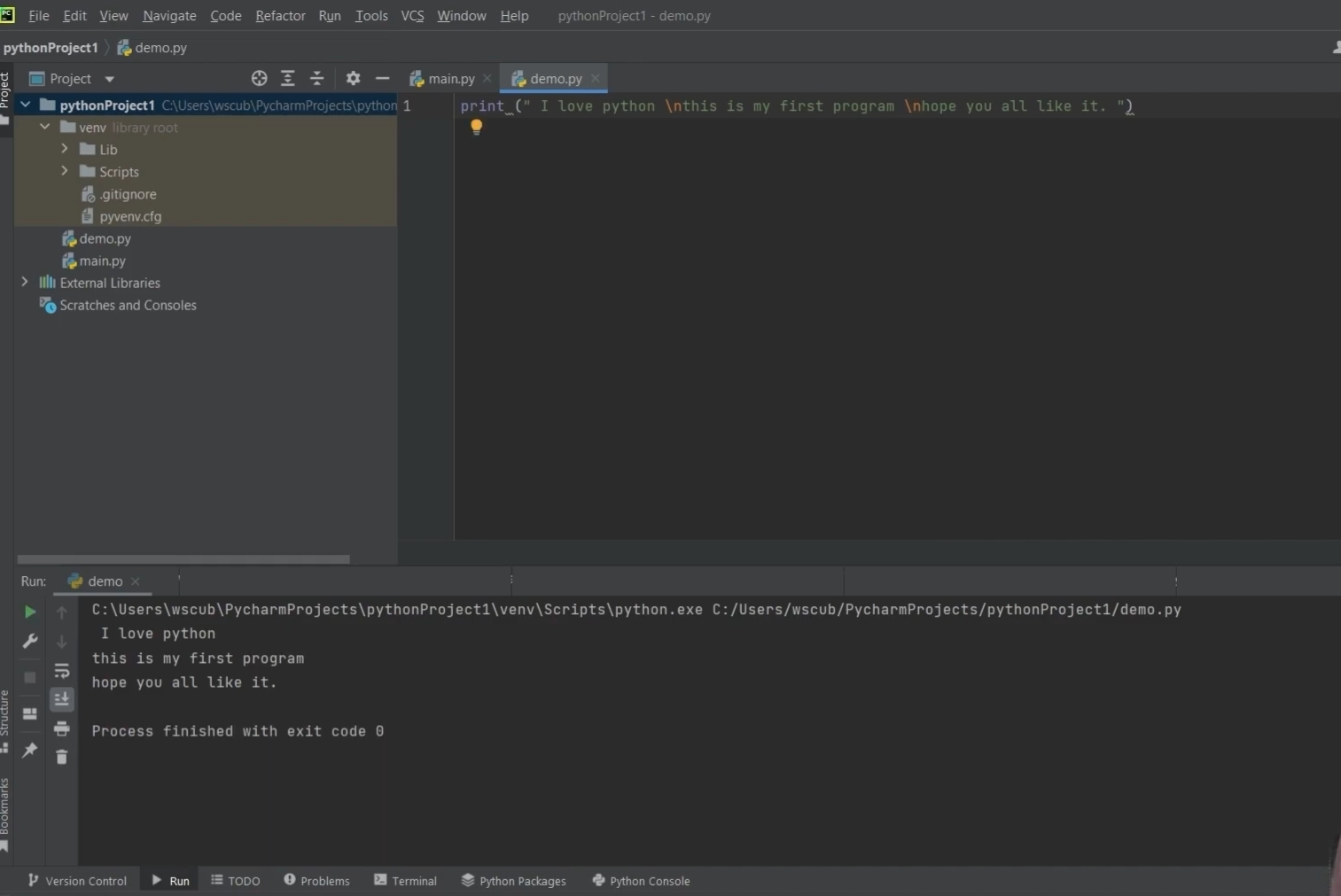
Drawback of Using Single Quotations
If your message contains an apostrophe (‘) and you use single quotations, Python gets confused because single quote and apostrophe are the same. For example:
print('It's going to rain today')This will cause an error:
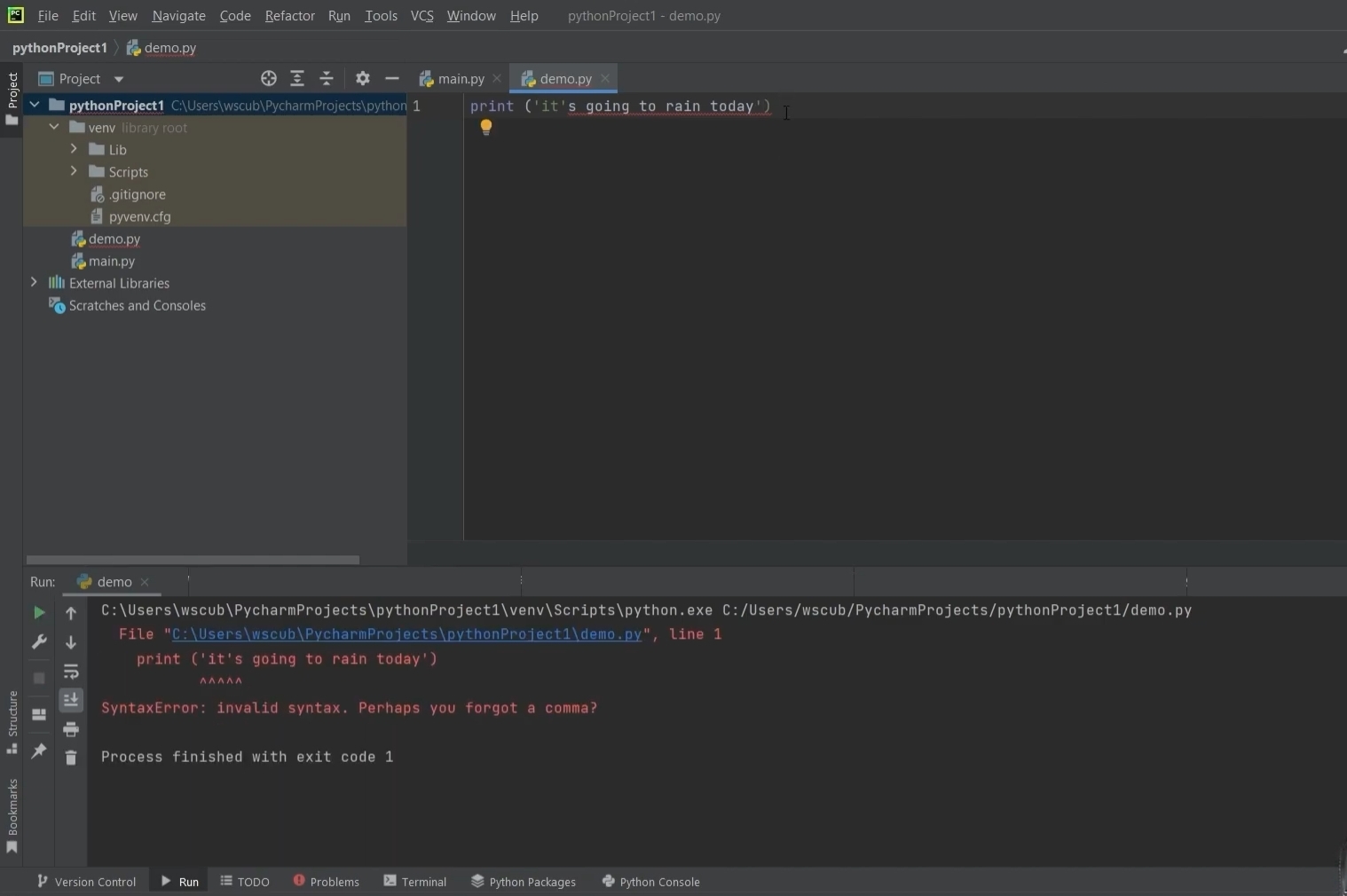
The issue is with the apostrophe in It’s. Python thinks the string ends there. That’s why we suggest using double quotes to avoid such errors.
For example:
print("It's going to rain today")Or you can escape the apostrophe:
print('It\'s going to rain today')Here is the correct output:
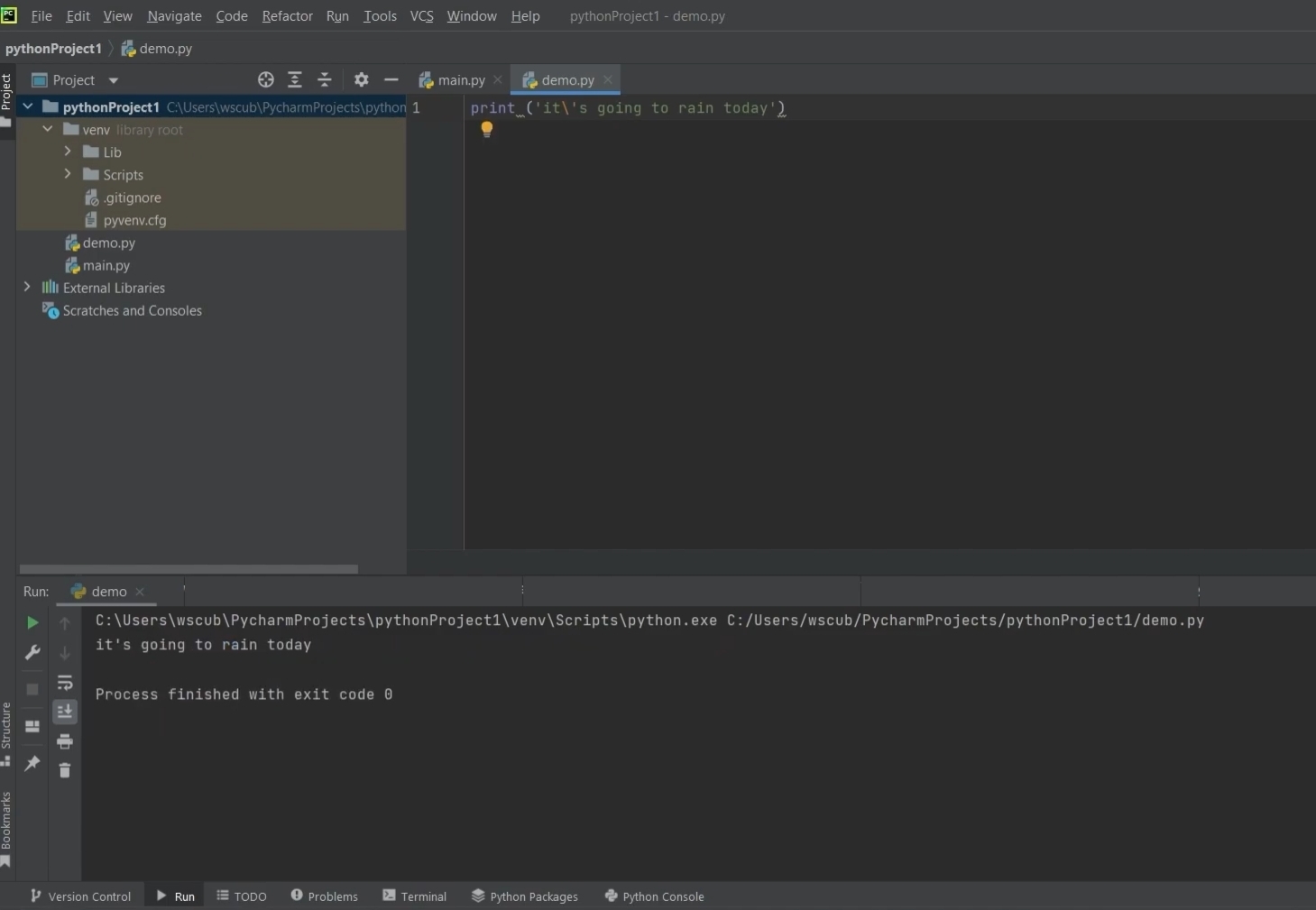
Now you can see that the error is resolved. Python is smart, but not smart enough to understand both apostrophe and single quotes together without instructions. But now you know how to fix it.
So we hope everything is clear to you. We have tried our best to explain every concept with examples, code, screenshots, and outputs, so we believe you won’t face any difficulty understanding the print function. But if you still have any questions, feel free to ask in the comment section.
In our next article, we will learn how to create variables. So stay connected, we will meet in the next article. And yes, thank you so much for reading this article till the end!
“So keep learning, keep growing!”

34 Comments
Happy
Good
Verry nice
Very nice
Good
👍👍
This is so good
Op
Best in the world
This website is to good
nice
Thanks
Very op
Good
Awesome
Awesome work
Thank you
Thankyou
Nice
Best
Watch rangda ka mayajaal part 2
Ok good
Great work, keep doing..
Nice
Very good
Superb…I love this website…😍
this website is best
Very good
Op
Awesome
Website
And very
Good
Very nice
Good
Nice Work
Super